
Download the iNSTAVUE app for Android
Install the app on your Android phone, Android box or Smart TV, then follow the steps below to add your subscription.
Download the appYour device may ask you to allow installation from unknown sources.
Follow these steps after downloading
- 1Open the app and select the playlist.
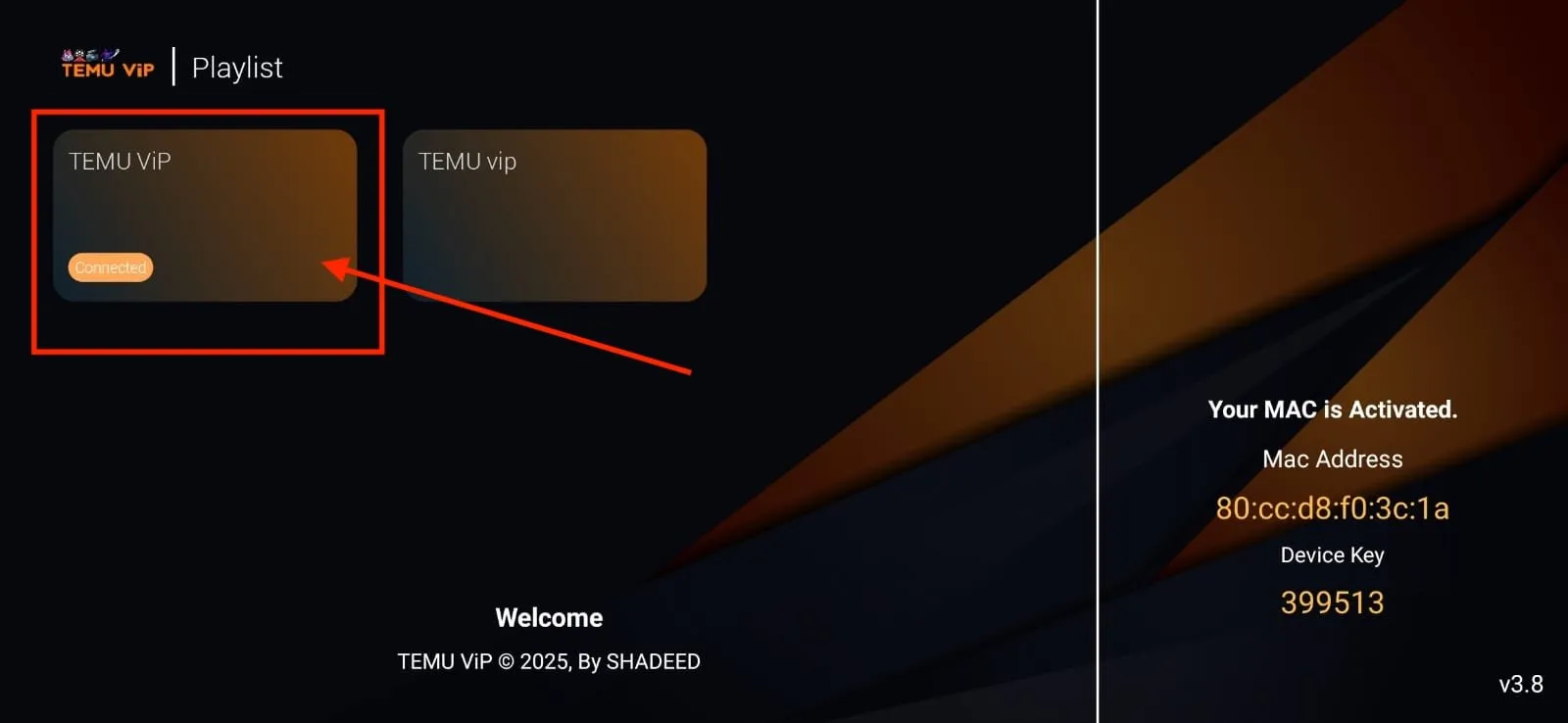
- 2Tap “Edit”.
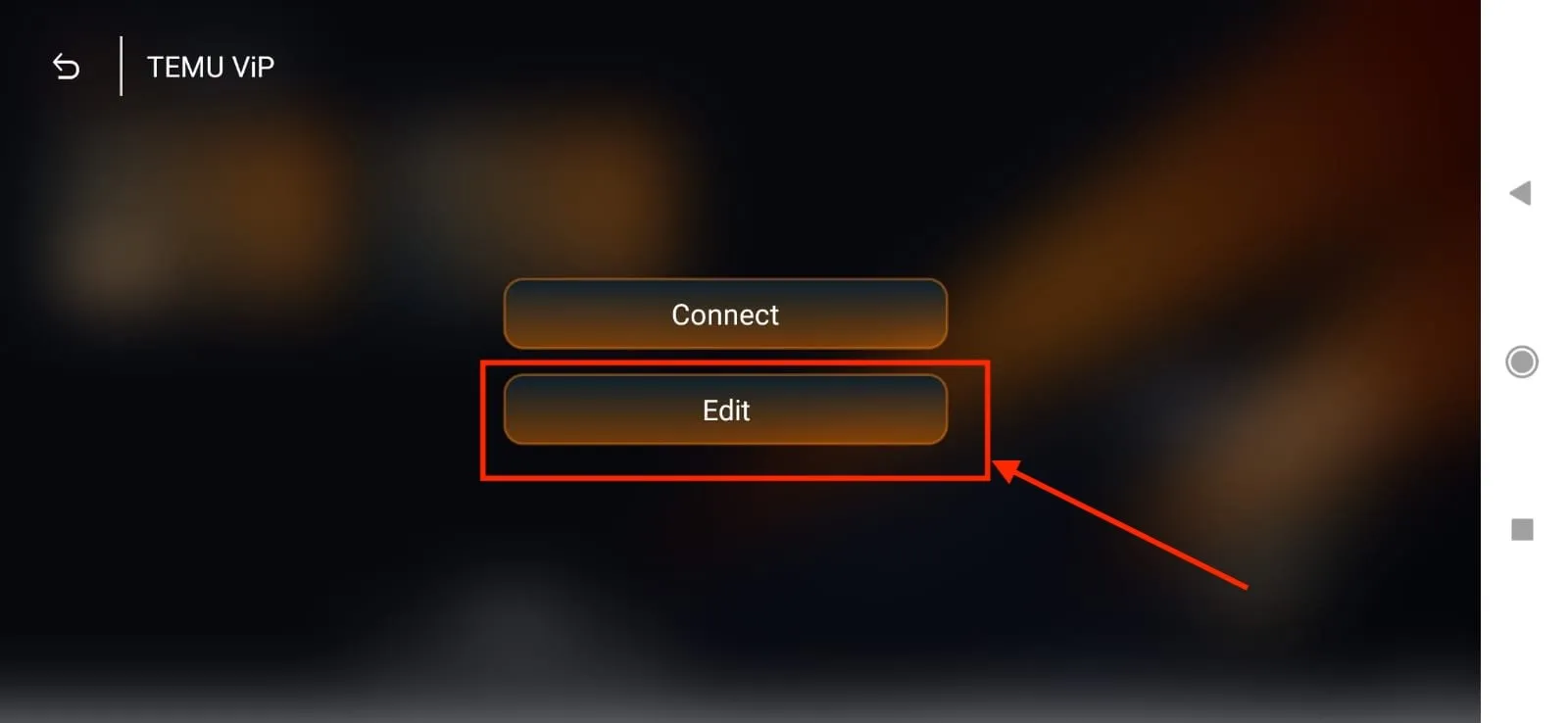
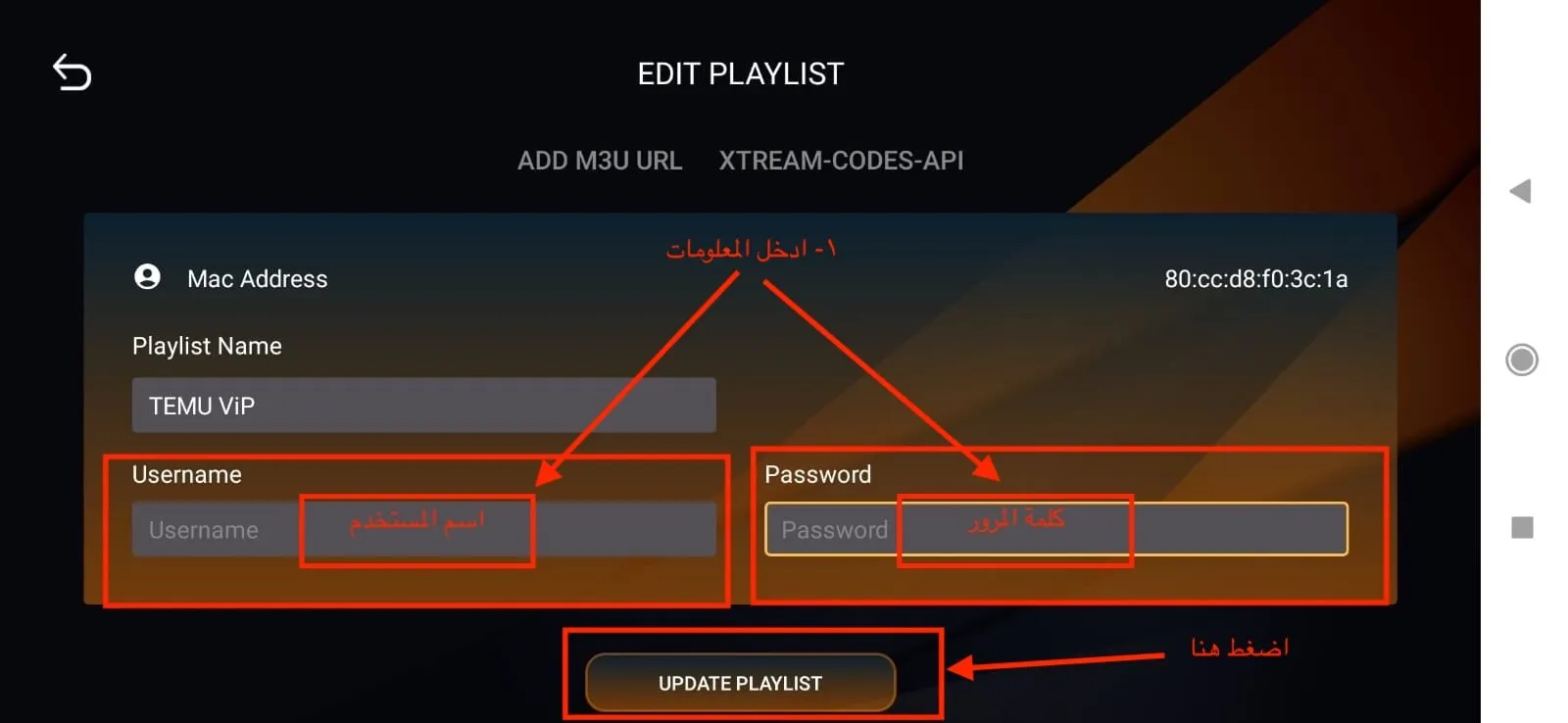
- 3Enter your username and password, then tap “Update Playlist”.
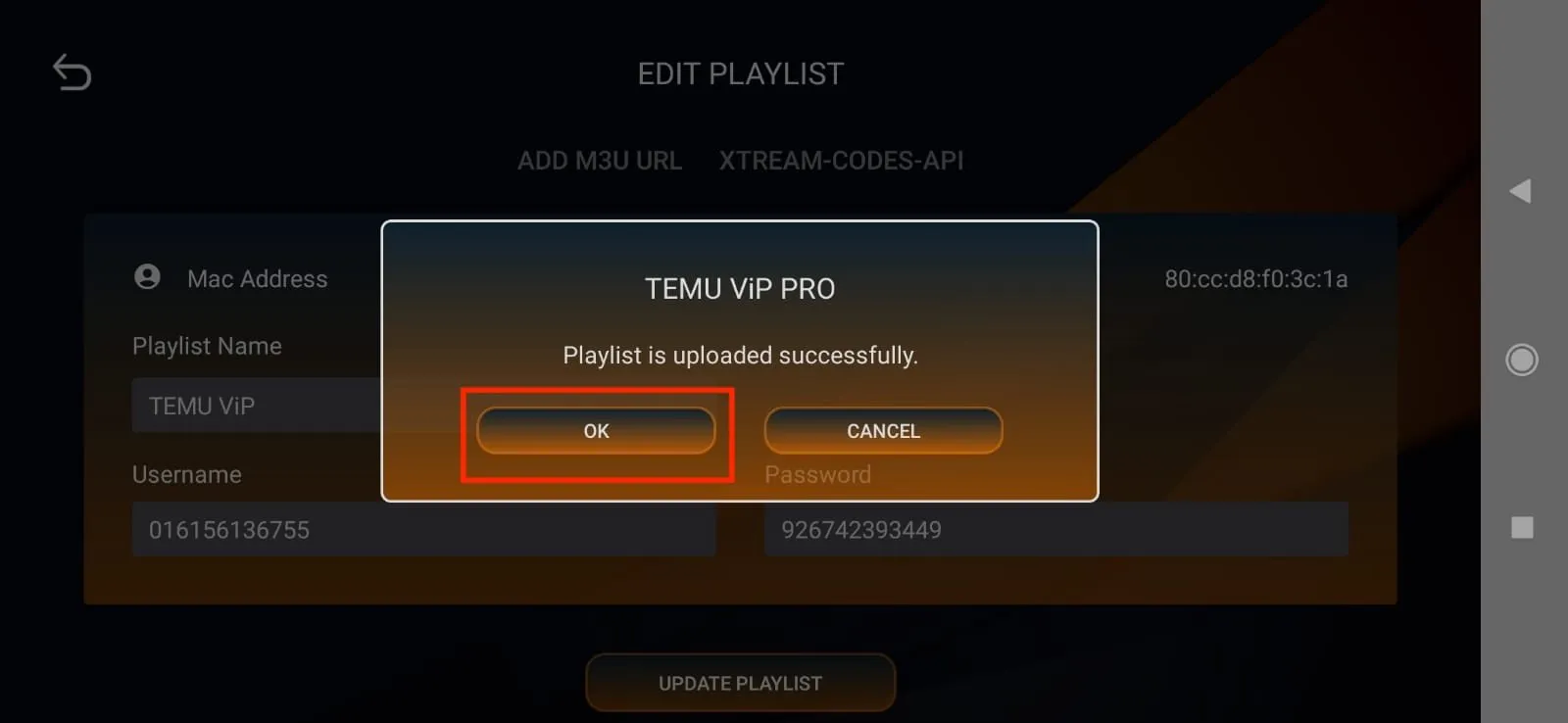
- 4Tap “OK” to confirm the update.
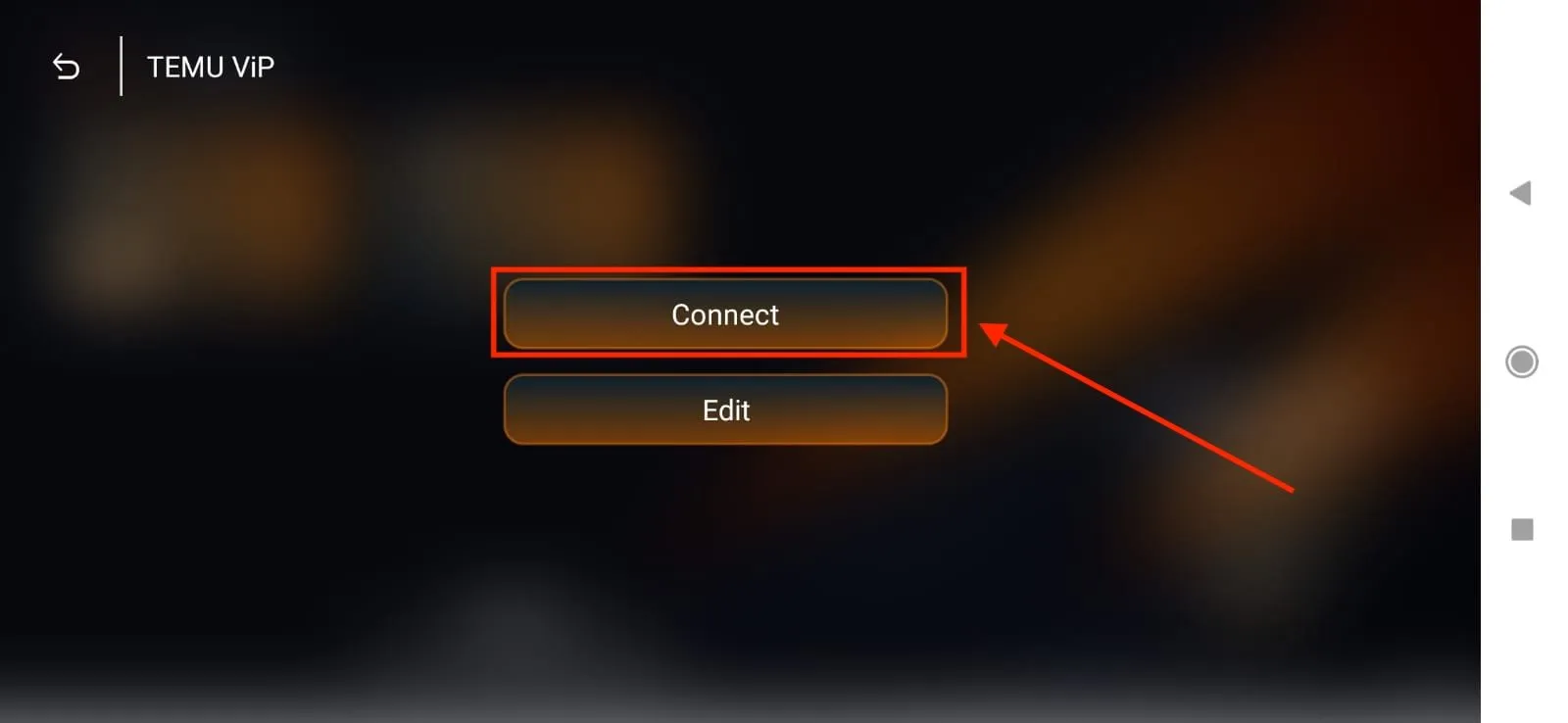
- 5Tap “Connect”.
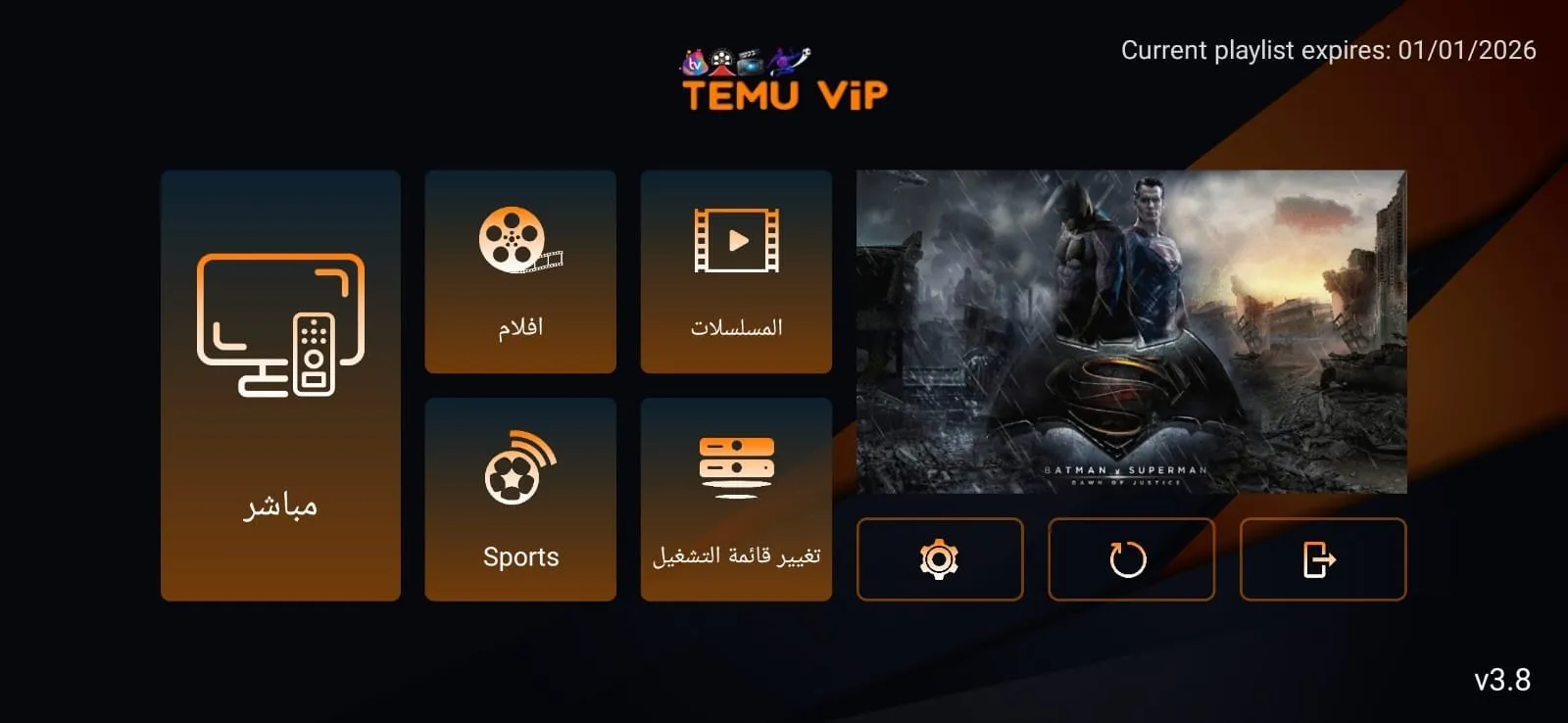
- 6Enjoy live channels, movies, series and sports.
Need help installing?
Our support team guides you step by step on WhatsApp or Telegram, 24/7.
Chat on WhatsApp